OK: I think the “X-Forwarded-Proto” change is a good one and you should keep it. Your site is now correctly generating HTTPS urls as its absolute URLs.
Now, you still have an issue that the manifest you’re trying to load on that page is an HTTP URL. I don’t know exactly which modules and so on you’re using, but I’d suggest that the “bad” URL here has just been saved somewhere and needs to be cleared/replaced. Does the problem happen the same way if you make a new item?
Now I have noticed that if I upload the image everything is fine, but then once I edit it as I add a description it brokes and appears in bad quality in UniversalViewer.
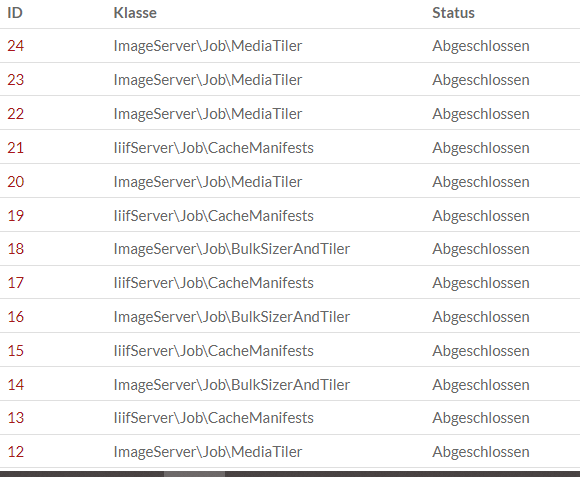
This probably comes down to the module you’re using to make those tiles, and/or the IIIF manifest, and some sort of configuration or other problem in that area. Maybe the background job that’s supposed to produce the tiles isn’t running, just as one guess? (You could check in the Jobs admin section on that.) I can’t provide much help on this tiling front since that kind of stuff is all the work of other developers.
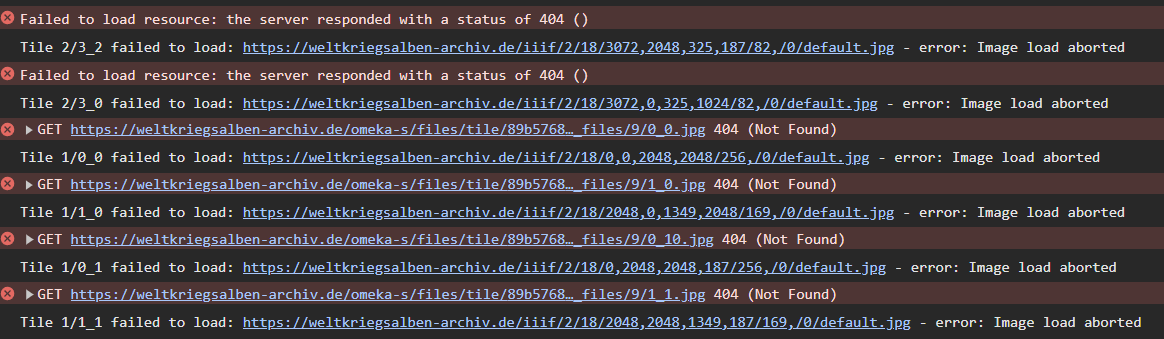
I just thought of something, the requests point to for example: /omeka-s/files/tile/13e5a7a7a6d4a6eea2f4eef324579a292eede17858_files/10/0_0.jpg
Where there is always in front ‘/omeka-s’,
I first install Omeka in the folder called “omeka-s” and then through the cmd, I moved all the contents of the folder “omeka-s” to the root of the web. Now I have checked in the FileManager and in this path are the images ‘weltkriegsalben-archiv.de/files/original’.
So I must have to change some configuration to change that path that includes ‘/omeka-s’.
It’s probably possible to do this other ways, but you might try simply uninstalling the modules and reinstalling them, to clear out their saved settings, since I believe you’re just starting out. And you’d probably have to add files again after reinstalling the modules to test if the problem is fixed.
I believe that’s just something the Universal Viewer module is adding there… if you look at the documentation or README for the module, I believe it explains how you could turn that off.