Hello friends!
We have a problem with the Universal Viewer not loading and displaying items for public (not logged-in) users on item pages. We’d like it to do so. Here’s an example of such an item page on our site: https://antietaminstitute.org/hrc/s/HRC/item/27
Here’s a screenshot of the initial state of the viewer for a public user:
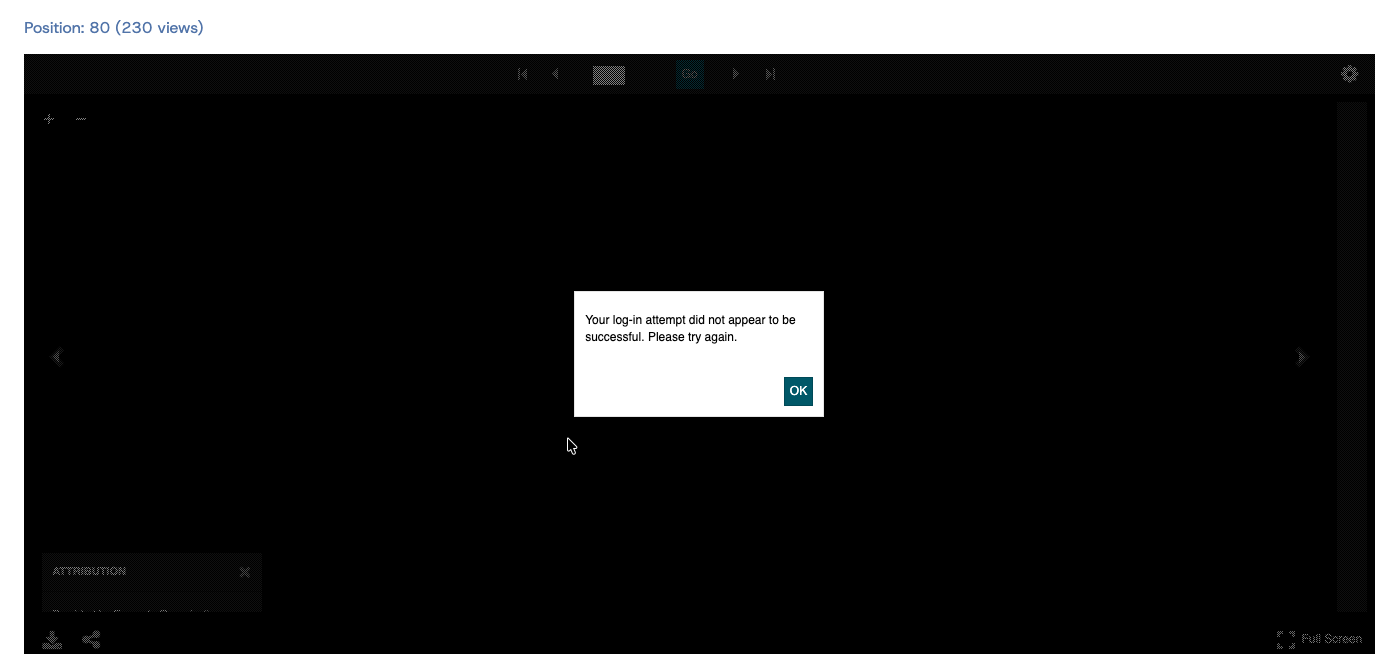
The viewer works fine for logged-in Global Admins - displaying no error box, just loads the item.
Background: We’ve just migrated our install unchanged from one shared hosting server to another. Then switched to a new theme (Bookshelf). We previously used a theme I adapted from one used by the Yale University Library.
This sounds like a permissions/authorization issue but I have not found a place in Omeka Admin to set permissions for this.
All items are marked Public. I deactivated RestrictedSites, just in case. No effect.
I hope this is an obvious fix and I’m just missing it 
I’d appreciate any thoughts on this!
A big thank-you to @Daniel_KM for all your work on these modules.
Our Omeka install versions:
Omeka S 4.1.1
Bookshelf theme 2.0.1
UniversalViewer 3.6.12-4.2.1
IIIF Server 3.6.29
Image Server 3.6.23
Common 3.4.80
PHP 8.1.33
MySQL 8.0.41-0ubuntu0.24.04.1
OS Linux 6.6.116-grsec-jammy-dirty x86_64