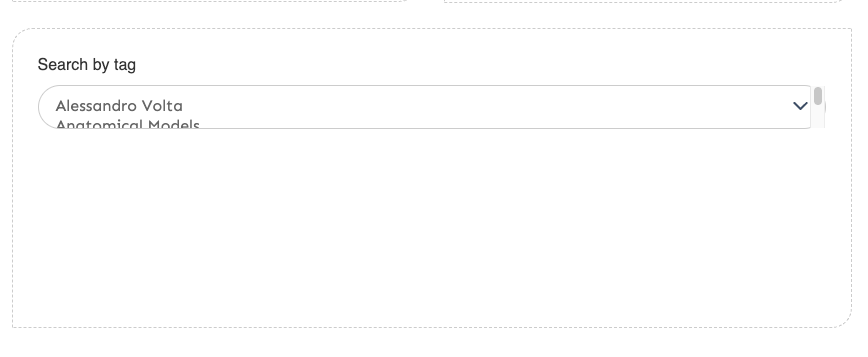
In Advanced Search the Search by Tag selection field is very small. How can I increase the height? I was able to increase the div using this:
.advanced-search-content>div:nth-of-type(9) {
height: 300px;
}
However, the search selection box looks like this:
Thanks,
Nicole
I am using the Lively theme.
I imagine you’re using a module here, probably Folksonomy? (Omeka S itself doesn’t have a tag feature or this input.) Lively probably isn’t accounting for this kind of form input because we don’t use one in our own code so it didn’t come up in testing.
I think your CSS problem will be that you resized the div around the element, but not the element itself. You could try something like
.advanced-search-content > div:nth-of-type(9) select {
    height: 300px;
}
Of course that “pick the 9th one” style is going to be quite brittle. You might instead just target any multiple selects, like it appears this element is.
.advanced-search-content select[multiple] {
    height: 300px;
}
Thank you so much!! I really appreciate the help.