Hi everyone,
I’d like to share Code Snippets, a new module that lets a global administrator create and run small PHP snippets directly from the Omeka S admin interface, without editing a theme or writing a full module for every small change.
It is inspired by the WordPress Code Snippets plugin as a functional and UX reference.
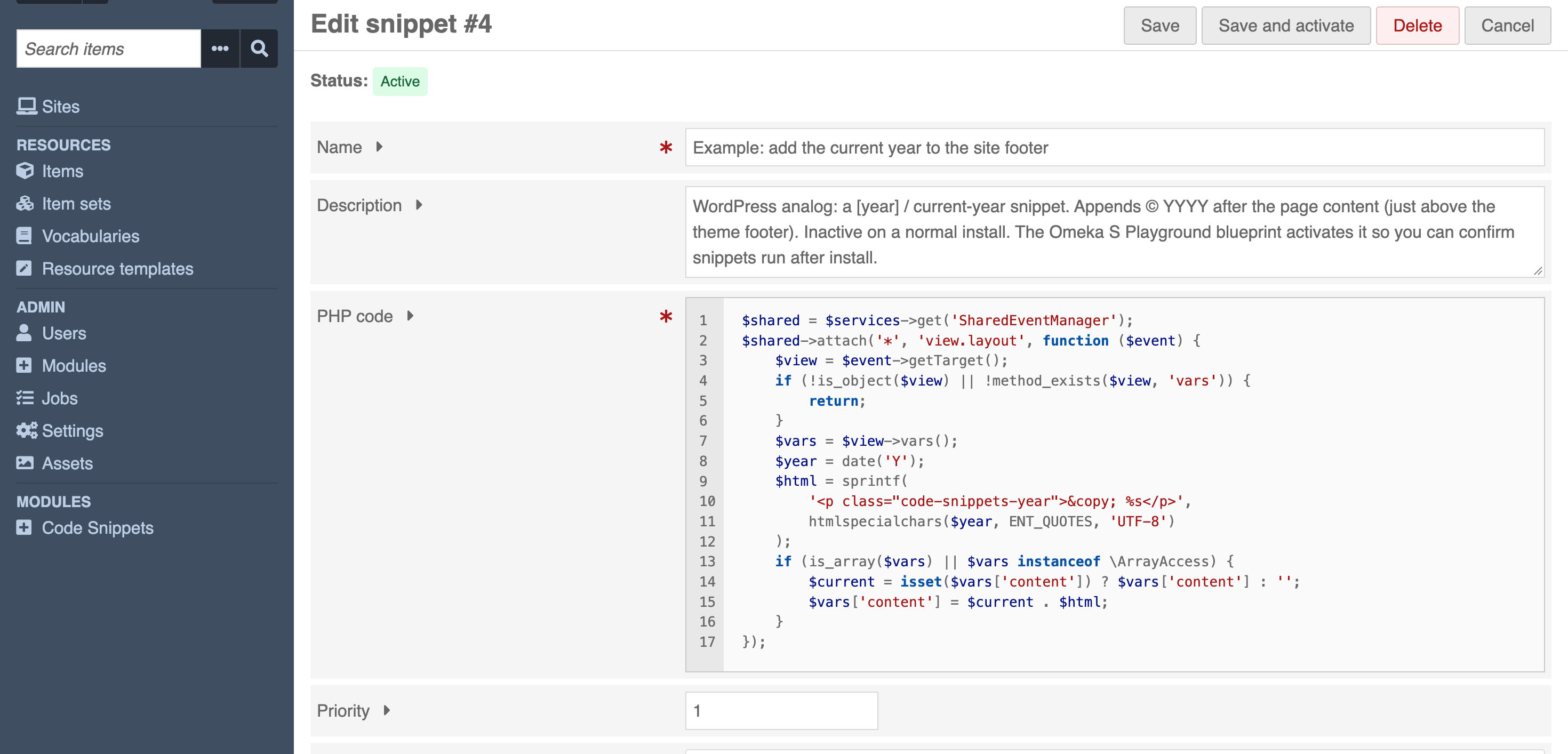
What it does:
- Create, edit, enable, disable, prioritize and delete PHP snippets from the admin
- Run location per snippet: everywhere, only in the administration area, or only on the public site
- Priority to control execution order
- Editor with PHP syntax highlighting and line numbers (CodeJar, vendored locally, no CDN calls)
- Syntax is checked before a snippet can be activated, so broken code is never stored as active
- Runtime errors are captured and shown next to the snippet instead of breaking the page
- Ships with example snippets, all inactive, ported from well-known WordPress demos
- Optional REST API at
/api/code_snippets(reads only by default; writes must be enabled explicitly)
Safety and recovery:
Snippets run with the privileges of the Omeka S PHP process, so only the global_admin role can manage them, enforced with the Omeka ACL rather than by hiding the UI. If an active snippet ever breaks the site, there is a safe mode: a URL parameter that skips snippets for a single request, and a global constant / environment variable kill switch that disables all of them. The module does not sandbox PHP.
Try it in your browser (no installation, runs on WASM):
Repository: GitHub - ateeducacion/omeka-s-CodeSnippets: Manage and execute trusted PHP snippets from the Omeka S admin interface · GitHub
Latest release: Release 1.0.0 · ateeducacion/omeka-s-CodeSnippets · GitHub
Also available in the Omeka-S module directory.
Feedback, contributions, and bug reports welcome!
Cheers,
Ernesto
GitHub: @erseco

 .
.
 ).
).