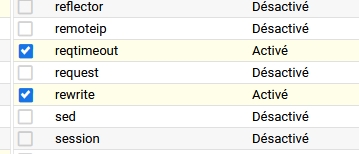
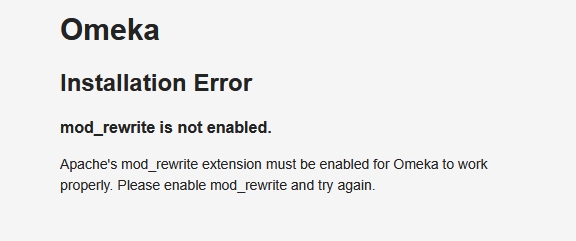
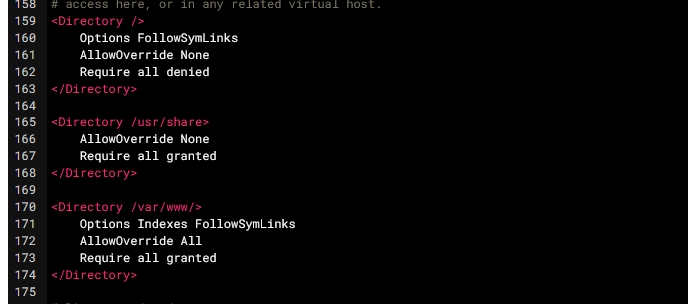
I am getting the error message “mod_rewrite is not enabled”, whereas it is enabled. * also have changed AllowOverride to ALL on my Apache conf file, and the error messange changed to 403 forbidden. How to solve taht issue?
Here are the following informations about the server :
Debian 12
PHP 8.2
MariaDB 10.11.14
Apache version 2.4.66
The “mod_rewrite is not enabled” message comes from the installer, to warn you when you don’t have mod_rewrite enabled. But you shouldn’t be seeing the installer if your site is already installed (unless you are indeed trying to install a new site).
The Forbidden error is coming from Apache: you could check if Apache’s error logs show anything. This would likely be either a configuration problem (do you have something in your .htaccess that denies access?) or a permissions problem (can Apache read your Omeka files? if you have SELinux on, do the files have the right SELinux labels?)
Please, are you dealing with .htaccess we fin on omeka folder or another .htaccess to find on the server? If so, is it possible to have an idea of its directory?
The .htaccsee fiIe seems good.
this is what I found on the Apache Log file, dealing with the rewrite error:
[Sat Jan 24 18:23:17.029813 2026] [rewrite:error] [pid 1422390:tid 1422390] [client 160.155.241.34:9315] AH00670: Options FollowSymLinks and SymLinksIfOwnerMatch are both off, so the RewriteRule directive is also forbidden due to its similar ability to circumvent directory restrictions : /var/www/html/omekatest/
Your excerpt indicates FollowSymLinks should be on: it’s that Options Indexes FollowSymLinks line you have.
You might have other parts of your Apache configuration you haven’t looked at: maybe other parts of the same file you screenshotted above, or other files (for example, for your virtual host). It’s common to have a section with settings specific for your DocumentRoot (it looks like in your case that would be “/var/www/html”).