I have been looking at the style.css and using inspect in the browser and cannot figure out how to remove or hide the code for the viewer on the browse page. Has anyone figured this out?
Thanks,
Nicole
I have been looking at the style.css and using inspect in the browser and cannot figure out how to remove or hide the code for the viewer on the browse page. Has anyone figured this out?
Thanks,
Nicole
Hi Nicole,
You can remove this using the “Blocks Deposition” module
From what I can tell that module will only let me reorder blocks not delete them. This is what I see in the site settings:
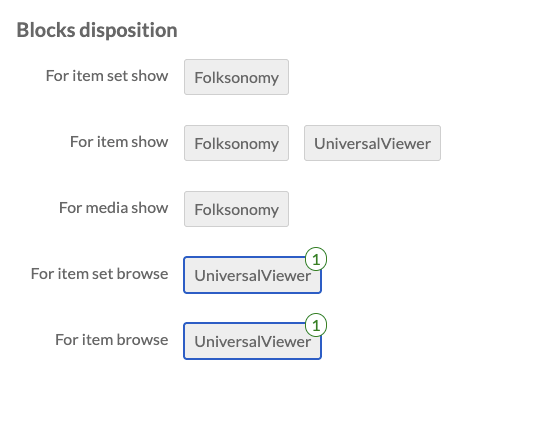
Click on universal viewer for item browse. When the 1 disappears, the viewer is removed from that page
Thank you so much! I really appreciate your help.