I am trying to use a Reference block to create an index of volumes of a magazine, 1 through 104. The issue is essentially identical from this 2020 post, though I do not know if OP was using anything like a Reference block Order by identifier . Where I’m stumbling in the year 2026 is that despite setting the Volume property as an integer, the Reference block is not offering Volume (numeric:integer) as a sort option, it is only retaining the original Alphabetic or Total sort options. Is this an incompatibility between Reference and Numeric Datatypes? Any other thoughts?
Hi ckoch, try to edit the query this way:
- Click on the Advanced edit button in the Search pool query option:
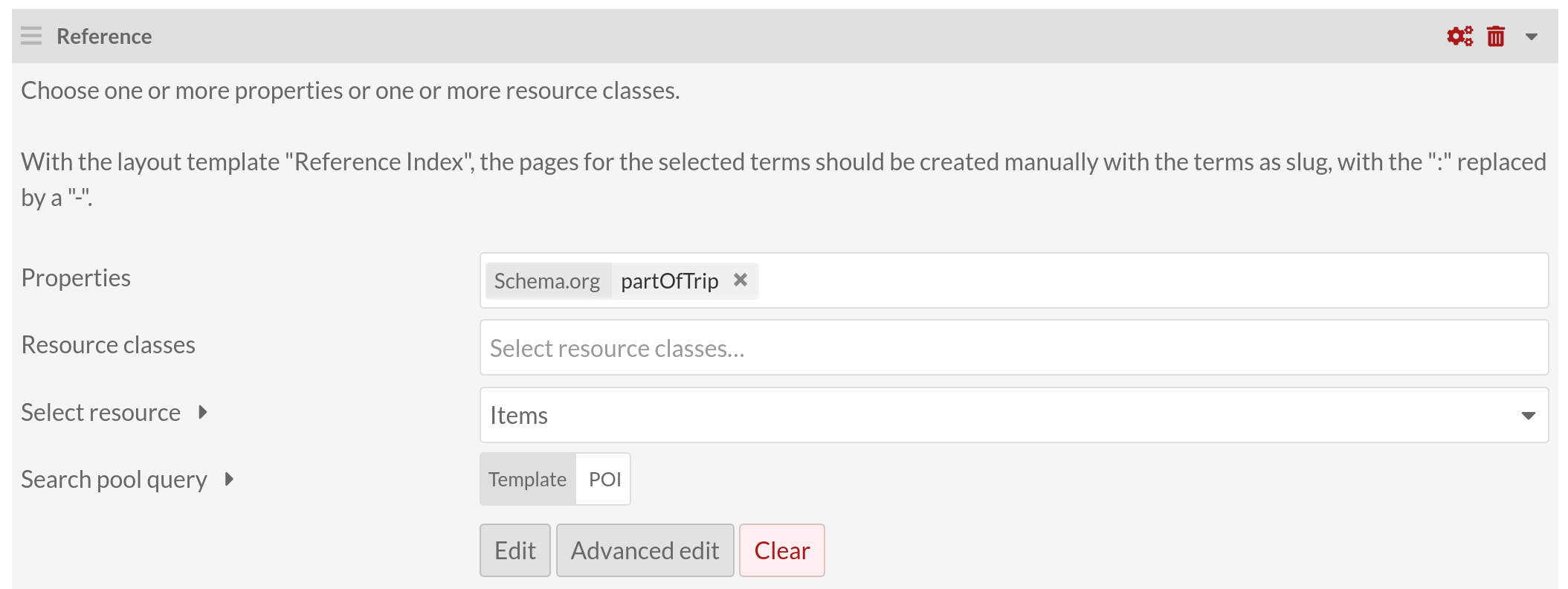
- Manually specify the sort_by / sort_order parameters:
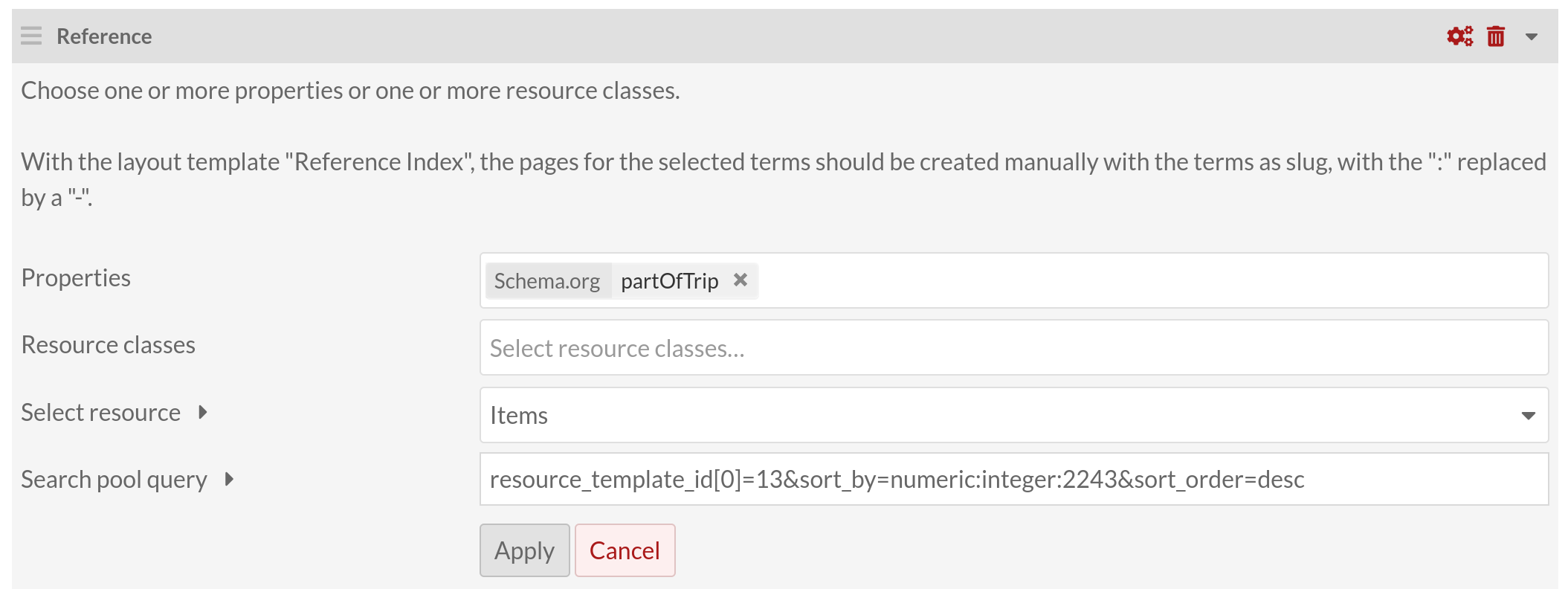
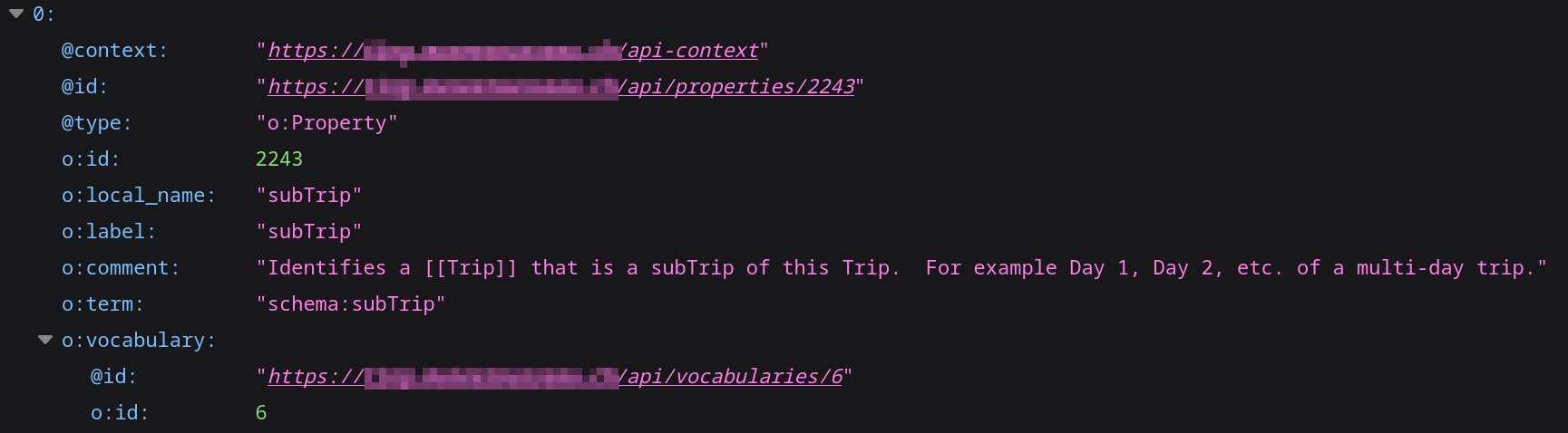
To find the property identifier (2243 in the example above), you can query the REST API this way:
- Navigate to
https://[your Omeka website]/api/properties?term=[the term of the property]
In the example above, the property used to sort the results is schema:subTrip, so the query would be https://[your Omeka website]/api/properties?term=schema:subTrip
- You get the property id in the
o:idfield of the response:

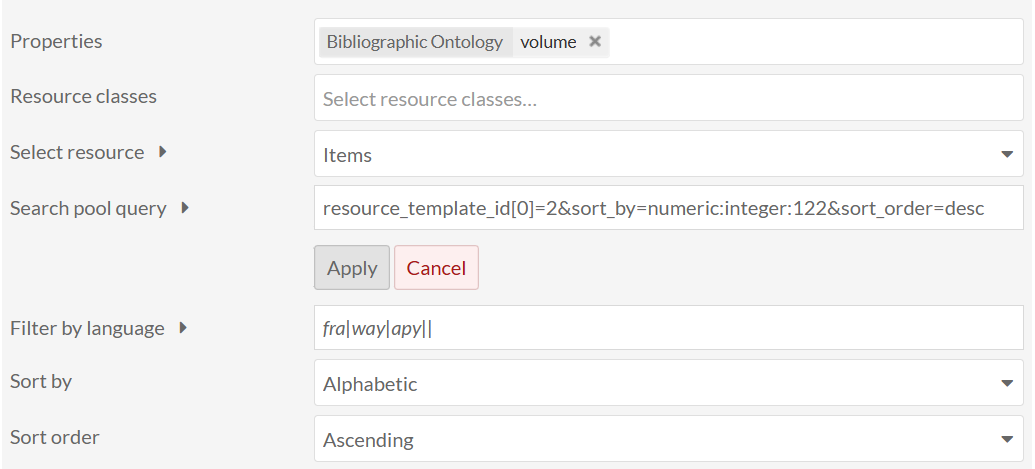
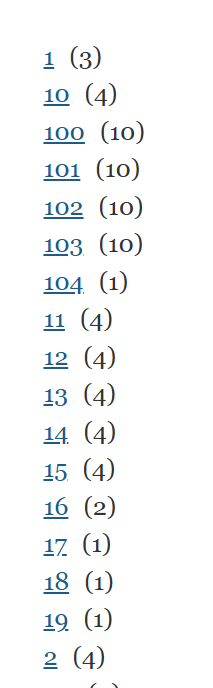
Yes, the module Reference orders only alphabetically, not numerically for now, so its a feature to implement.