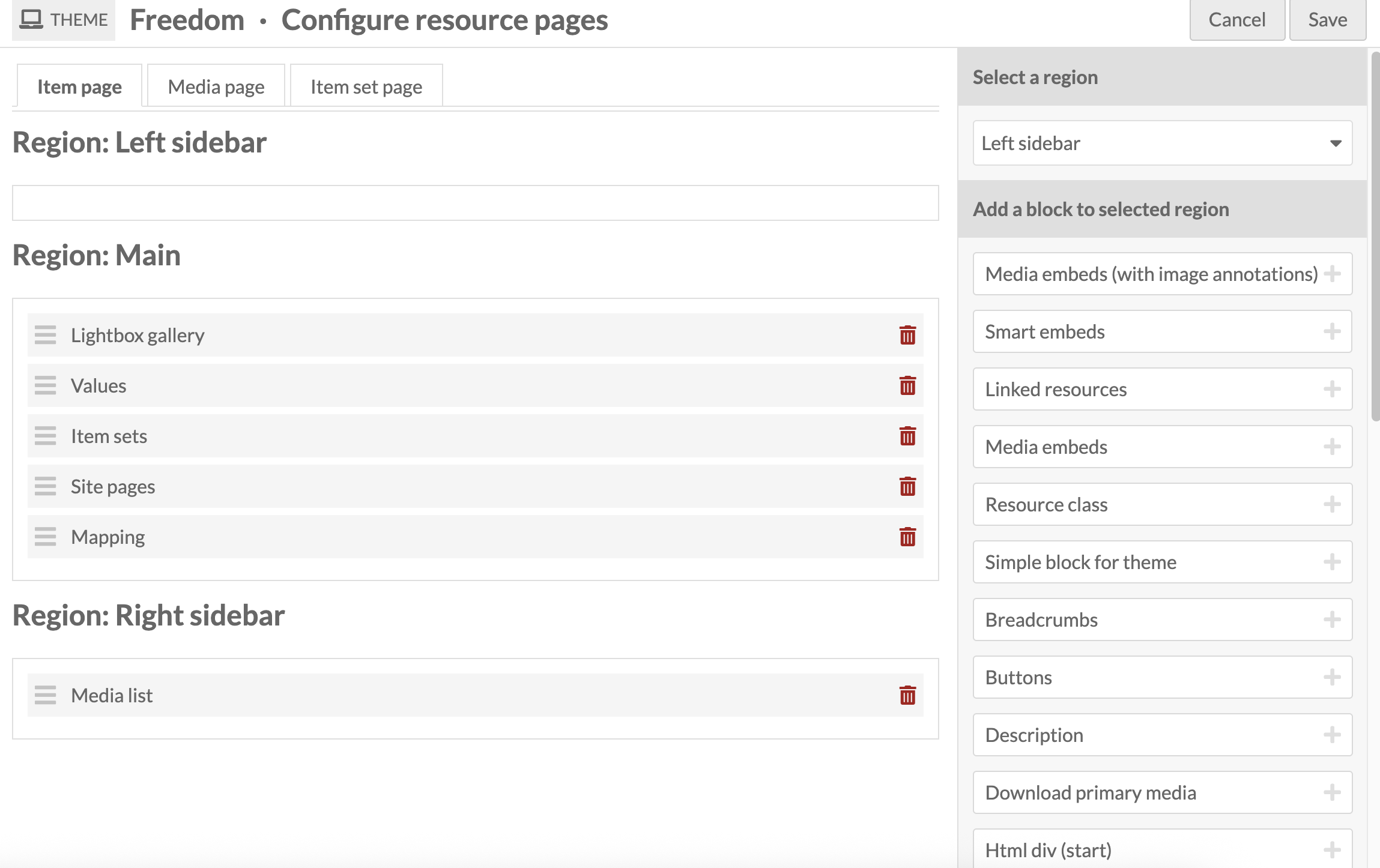
Hello, I’m having an issue with embedding an iframe in HTML source onto an item’s show page. It displays on the media page, but on show it’s just the placeholder gray image. I wonder if this has to do with the way my resource page blocks for items are set up? I’ve attached a screenshot of the config for the item page. I do not want all media embedded on the item page - I have items that have many images attached as media and it’s unwieldy when they are embedded, so I’m using the lightbox, but I’d like this html iframe to show on the item page. Can I make this happen?
The link for the iframe I’m using is:
Alright, figured this out. In case anyone else using Freedom theme has the same issue of certain media types not displaying in the lightbox but then dealing with duplicate media if you use a media embed and lightbox gallery on the item show page, here is some CSS that will remove the media embed on pages where you want the lightbox only to show. This works to show oembed, html, and audio files in the media embed and hide the ‘other media’ for those, and to show all other media types in the lightbox gallery only.
body.item.resource.show div.media-embeds div.media-render.file a { display: none; }
body.item.resource.show dl#other-media { display: none; }
body.item.resource.show div.media-embeds div.media-render.youtube { display: none; }