I recently created a new item set. Items from this item set are using numeric identifier. Hence they do have an identifier that is already existing in another item set.
To say that differently, item set A and item set B have both an item which identifier is 1, and both items with identifier 1 are different, they have nothing in common.
When I import media for identifier 1, I cannot set that it should be the item 1 from item set A or item 1 from item set B. So which item 1 will have a media sideloaded?
Hi ploc, I think you really have to add another property that uniquely identifes an item. If you can not use Omeka’s internal identifier, you could add a new “unique” property to your items, add in your CSV a corresponding column containing a combination of both the destination item set identifier and the item’s one, and then use this property as the unique key during CSV import.
Well in that case you would “lock” semantically the item A1 as being part of item set A, but that’s Ok if this is what’s expected.
Anyway, in order to update the identifiers of the items already imported, you have to find a way to identify them using a unique property, which is not present at the moment.
One way would be to delete the existing items and re-import them with their new identifiers. Another way would be to export a CSV of triples associating for each item its internal id, its item set’s internal id and the value of its identifier property, change this value accordingly and update the items by importing this list back (this time, using the internal id as unique key).
Maybe there are other tracks I have not explored yet
On the second item set (“B”), there is only currently only 50 items. So I was about to edit all identifiers to add B before each identifier. But the system is preventing me from doing so:
Value must be an integer or a decimal.
I think this is because of the resource template that I defined, where the identifier is set as number. I think I did it so because it was allowing me to search inside my item set using advanced criteria (lower than, upper than…).
I don’t know how to solve the issue that I’m facing…
If you want to keep a numeric data type, maybe you can add a big value like 1’000’000 to the identifiers of the items belonging to the second data set (choose a value according to the expected maximum number of items in the first item set). Note that for “human readability”, you will better add 1’000’000 to items of the first item set, 2’000’000 to the second item set, and so on.
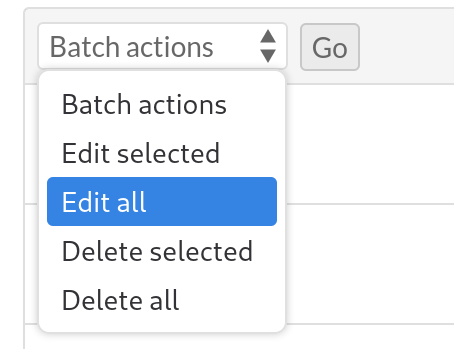
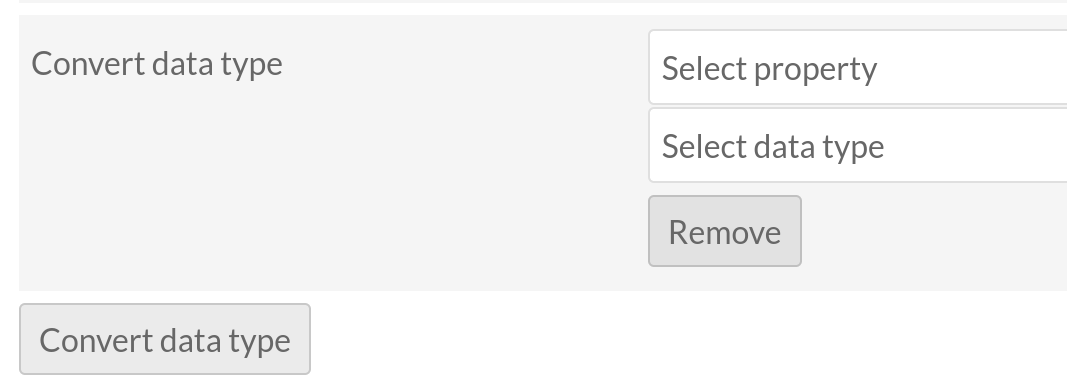
If you want to convert the identifier back to text and you are running Omeka S version 4.2, you can use batch conversion in the items list as explained in the documentation:
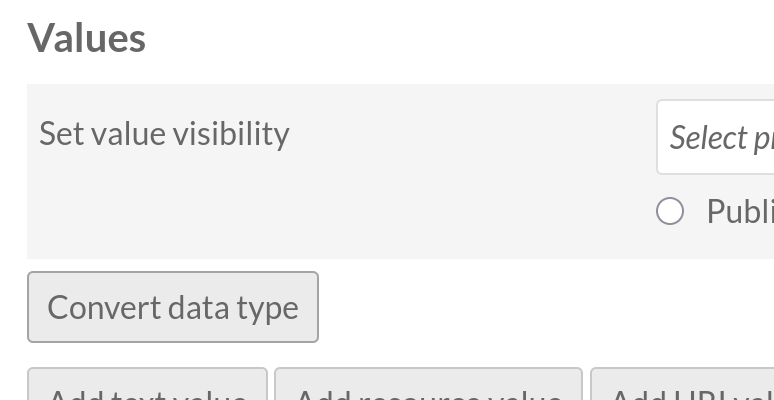
In addition, you can use the buttons at the bottom of the batch edit form to convert existing values in any property from one data type to another, such as a text value of “1900-01-01” into a date.
Select the items you want to edit and the batch action you want to apply: