Hi all,
We’re upgrading from Omeka S 4.0.4 to 4.1.1 and I’m struggling with the new configuration options in the admin interface.
Previously, up to AdvancedSearch v3.4.23 (Omeka S 4.0.4), one could simply define facets in a text box with a syntax like below.
resource_template_s = Type =  =
item_set_ss = Collection =  =
schema_author_ss = Author =  =
schema_keywords_ss = Keywords =  =
date_year_agg_i = Period (year) = SelectRange =
schema_inLanguage_ss = Language =  =
schema_illustrator_ss = Illustrator =  =
schema_manufacturer_ss = Printer =  =
schema_locationCreated_ss = Place =  =
schema_publisher_ss = Publisher =  =
This textbox-implementation is particularly useful when you want to copy-paste the same config to a different search page or different Omeka instance.
With later versions of the Advanced Search module (for Omeka S 4.1.x) facets are being configured using a form section in the admin panel (see screenshot below). This is a manual effort that needs to be repeated for each search page and/or Omeka S instance. This becomes tedious work quite fast, especially with many facets and multiple search pages.
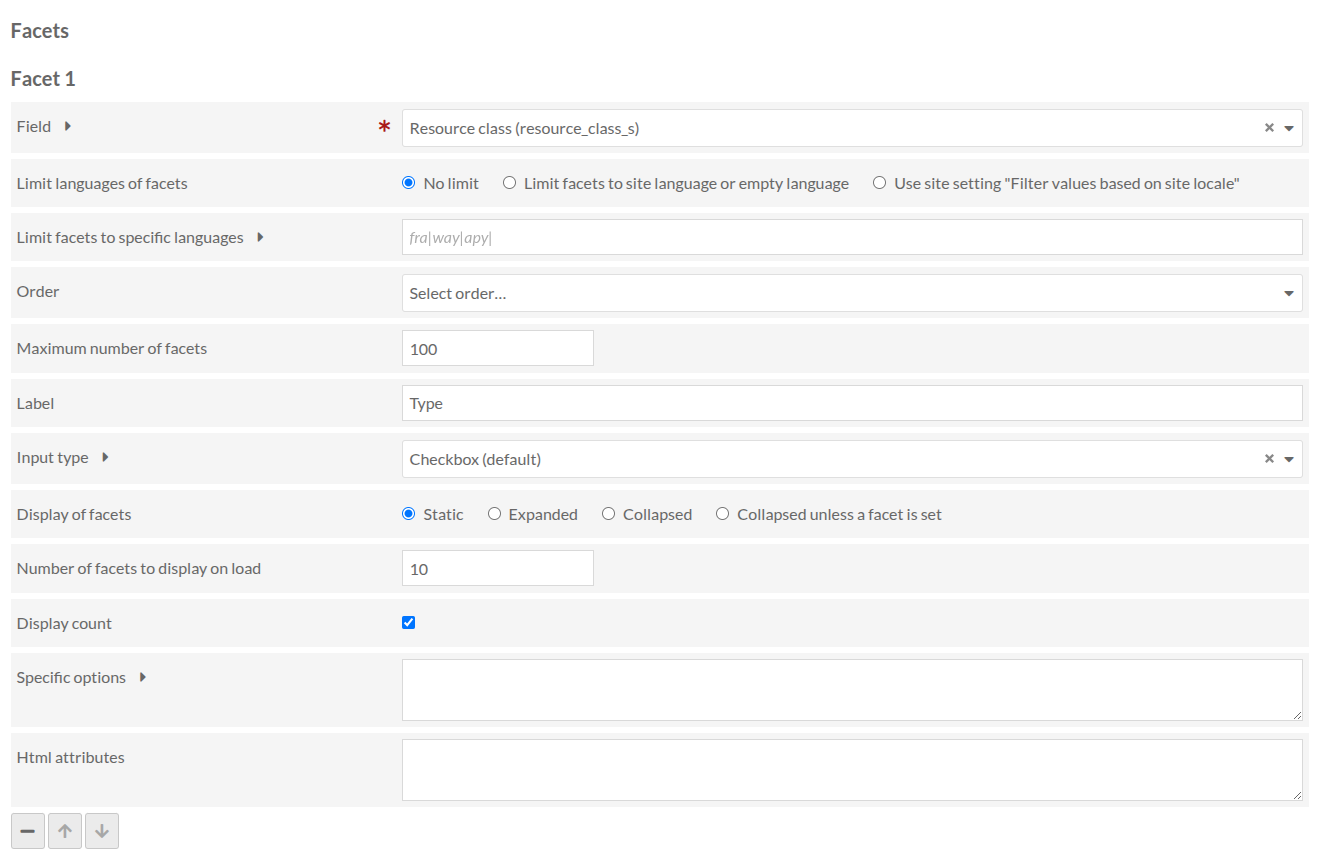
So, I’m looking for a way to configure facets in bulk, similar to the old behaviour that we had up to AdvancedSearch v3.4.23 .
In the module’s readme an ini-style configuration is being described. Example (copied from the readme):
[subjects]
field = "dcterms:subject"
label = Subjects
sort_by = "total"
display_list = "available"
display_count = true

[template]
field = "resource_template_id"
type = Select
label = Resource types
sort_by= "values"
values = "Text|Image|Audio|Vidéo"
display_count = true

[date]
field = "dcterms:date"
type = Range
label = Year
min = 1789
max = 1804
integer = true
My question: where do I put this ini-content? That does not become clear from the readme. Do I put this in some file somewhere in the module directory?
Best regards,
Maarten Coonen