Hi. Is there a way to add a favicon to an Omeka Classic instance? I’ve tried placing the file in the root html folder but that does not seem to be working. Any suggestions? Thanks for the help and support!
You might need to add the HTML tag to your theme like this:
<link rel="icon" href="/favicon.ico" />
I had that thought as well and gave that a try just now, but that doesn’t seem to be working. I have the favicon.ico in the root HTML folder and added the HTML tag to the theme header.php file.
- In the header.php file of your theme (/common/header.php) add the following:
<link rel="icon" type="image/ico" href="<?php echo img('favicon.ico'); ?>">
somwhere within HTML section.
- Put the favicon.ico file into the /images directory of your theme.
@miniol, that did not seem work. As soon as I copied an pasted the code in the /common/header.php file and went to the website I received the following error message. I tried placing the code in several different places to no avail. Any thoughts?

The error message gives no information.
You need to turn on debuging (uncomment the
# SetEnv APPLICATION_ENV development
in the .htaccess file) and share the full error log here.
@miniol , please see attached. It’s not finding the image. You mentioned placing it in the /images directory. I don’t see that directory. I am using Omeka Classic and not Omeka S so I am wondering if that might be the issue here.
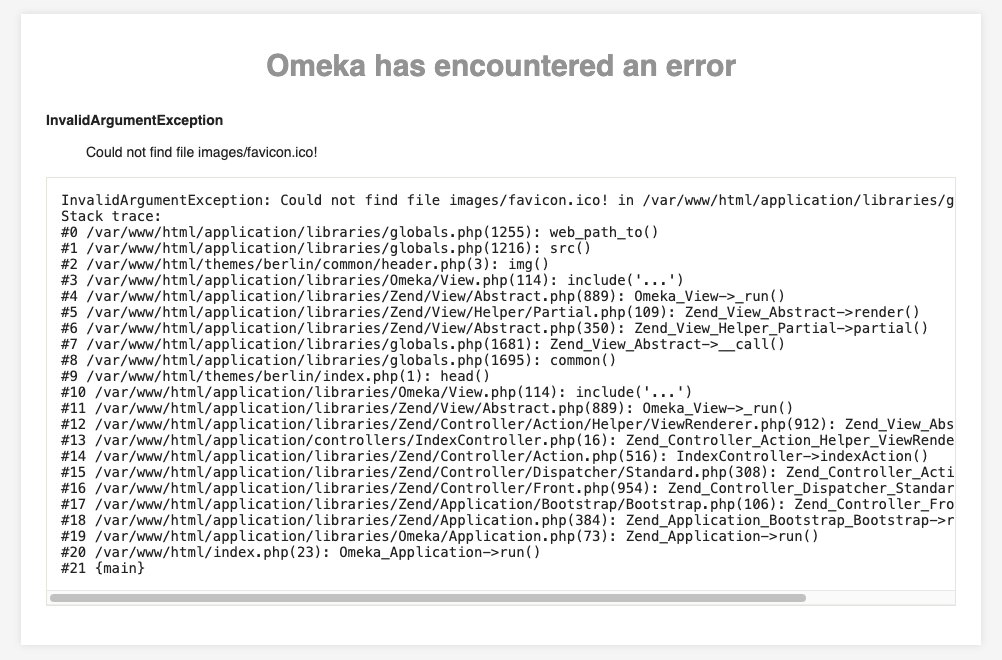
@miniol ,
This has been solved. I had to create an images directory and upload the favicon.ico there. Thanks for helping to troubleshoot this with me. Much appreciated!
1 Like
You should have the images directory in your theme’s root ( which is /themes/YourThemeName ). If not, just create it and put the icon file there.
This applies to Omeka Classic.